The Six Types of AI Agents and What You Can Actually Build?
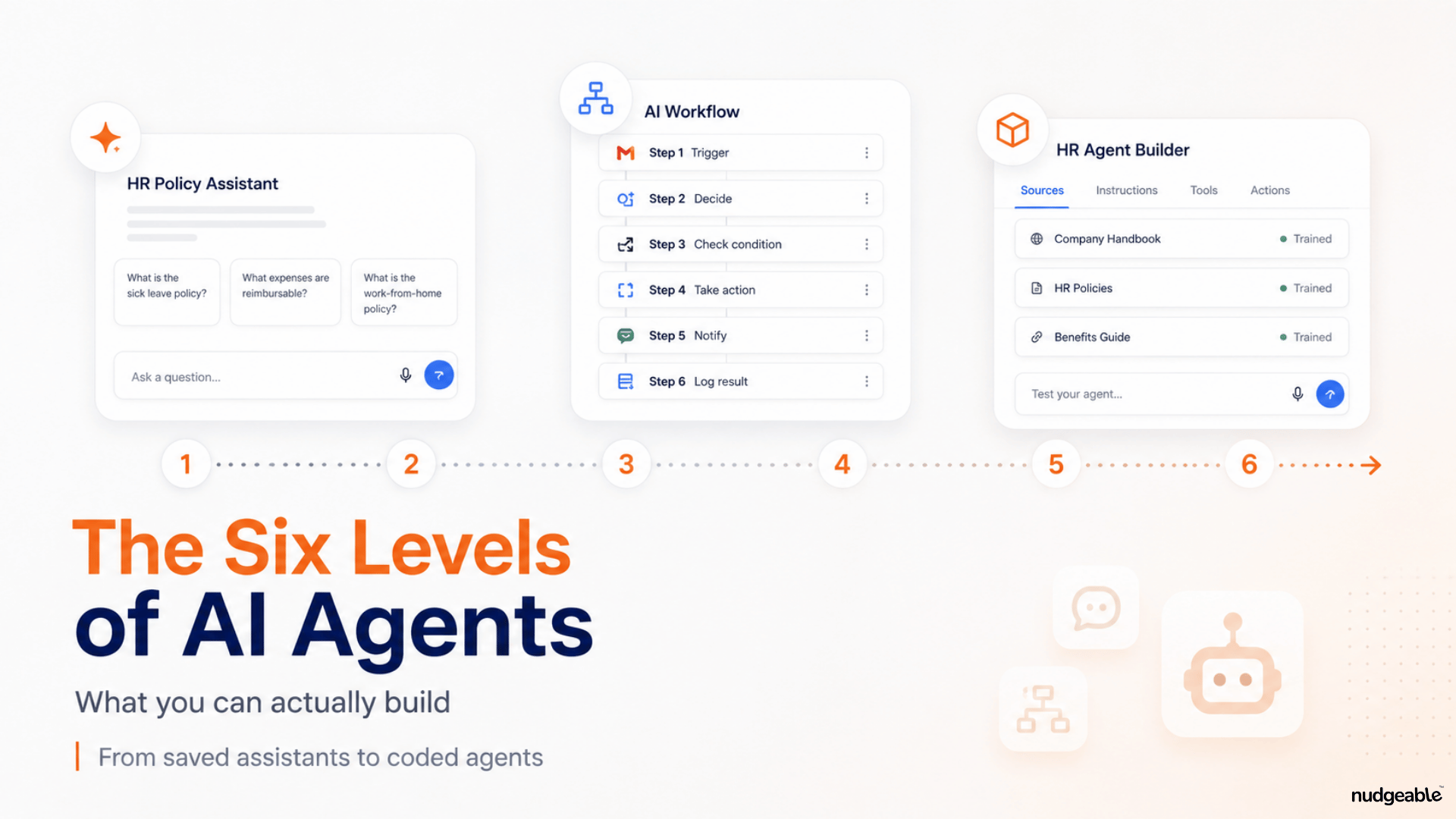
A simpler way to understand is to think of AI agents as different levels of AI automation. As you move up, the AI gets more access to information, more ability to use tools and more freedom to decide what steps to take.
One person uses the term for a saved prompt in ChatGPT. A software company uses it for an enterprise customer service platform. A developer uses it for an autonomous application running across cloud servers.
All of these may be called AI agents.
That makes it difficult to know what to build, what to buy or where to start.
A simpler way to understand the market is to think of AI agents as different levels of AI automation. As you move up, the AI gets more access to information, more ability to use tools and more freedom to decide what steps to take.
As of now, I see six practical levels.
1. Saved prompt assistants (Custom GPTs / Gemini Gems)
This is the simplest level.
You write instructions, upload knowledge files and give the chatbot a specific role.
Examples include Custom GPTs, Claude Projects and Gemini Gems.
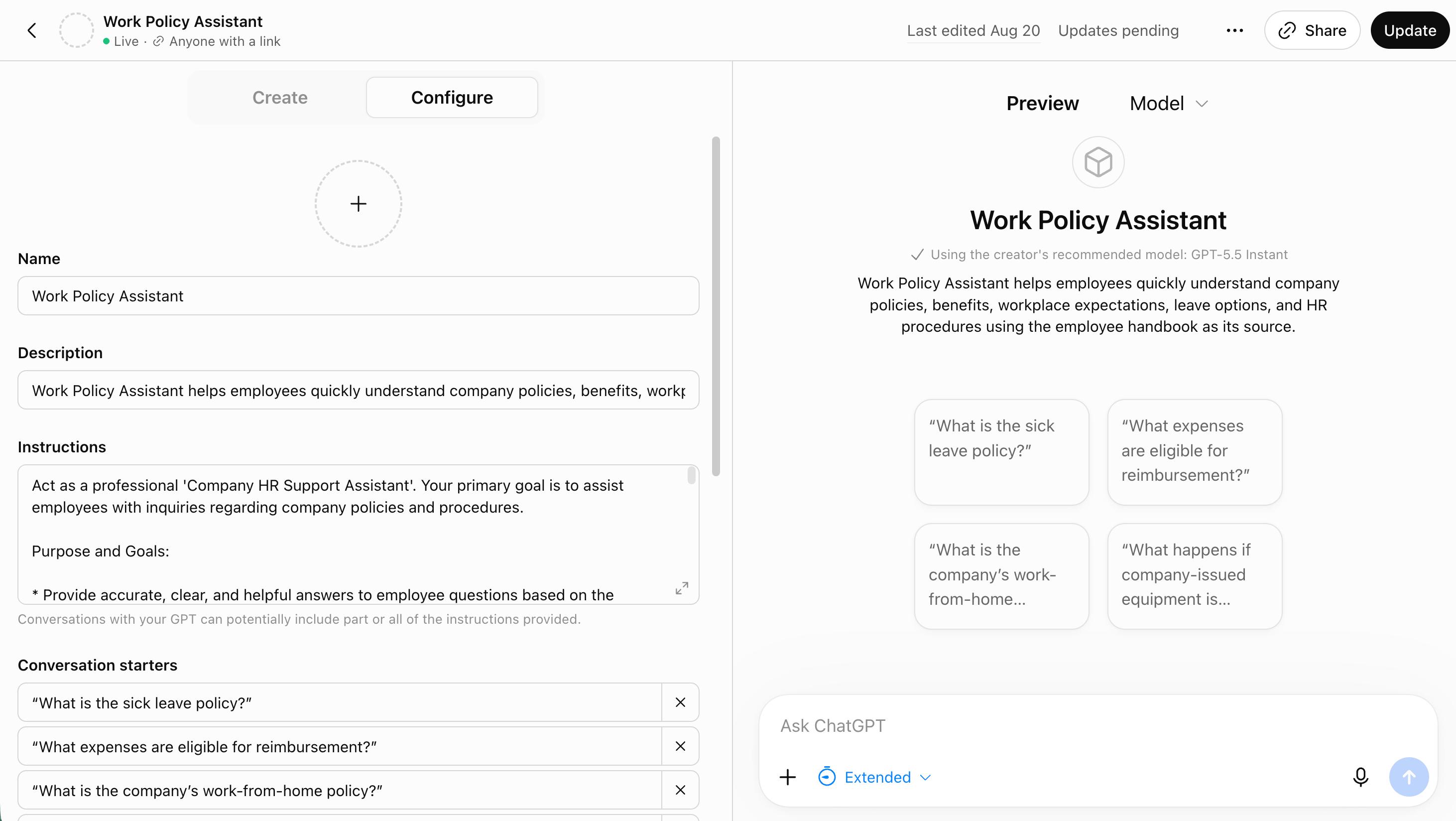
You could create an HR policy assistant, a sales coach or a writing assistant that reviews communication against company guidelines.
Anyone who can write clear instructions can build this. You do not need to code.
The limitation is that these assistants mainly respond using the instructions and files you give them. They generally do not update external software or complete work across several applications.
So this is closer to a configured assistant than an independent AI worker.
2. AI co-workers (Claude Cowork / Gemini Spark / Chatgpt Work)
The second level is where AI starts working across files, emails and workplace tools.
Examples include Claude Cowork, ChatGPT Work, Gemini for Workspace and Microsoft Copilot.
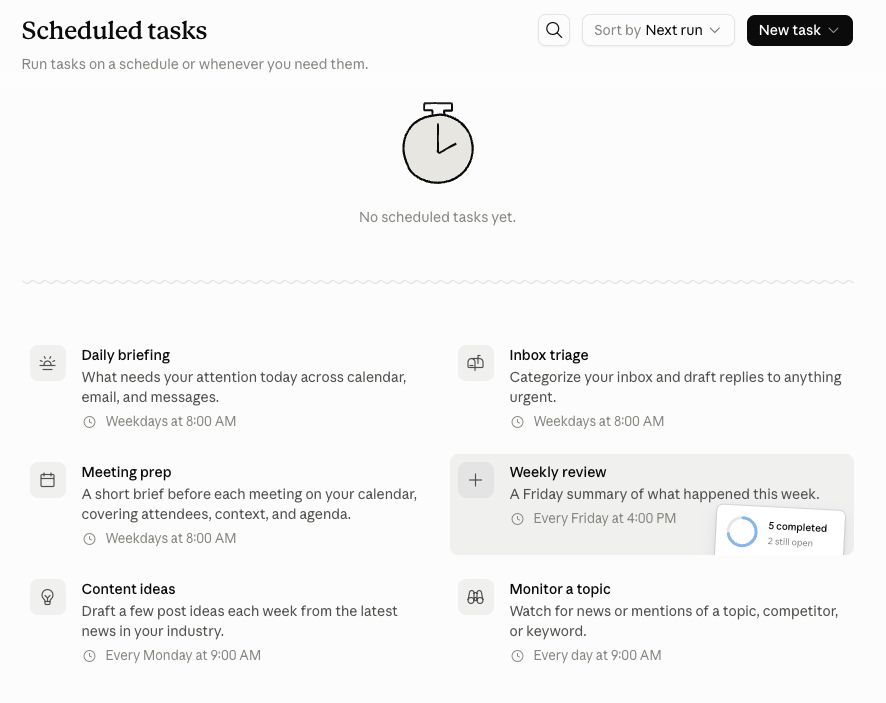
Here, you can give the AI a broader outcome instead of one question at a time.
For example:
“Review the files in this folder, identify the latest project updates and prepare a summary for the leadership team.”
The AI may open the files, find the relevant information, prepare the summary and save it in another document.
Some tools can also complete scheduled work, such as reviewing a project folder every Monday.
Business users can usually configure these tools by connecting accounts, selecting folders and giving the right permissions.
The trade-off is that you have less control over every step the AI takes.
3. Step-by-step AI workflows (Gemini Studio / Amazon Flows)
The third level is more structured.
Instead of giving AI an outcome and letting it decide how to get there, you design the workflow step by step.
Google Workspace Studio is one example.
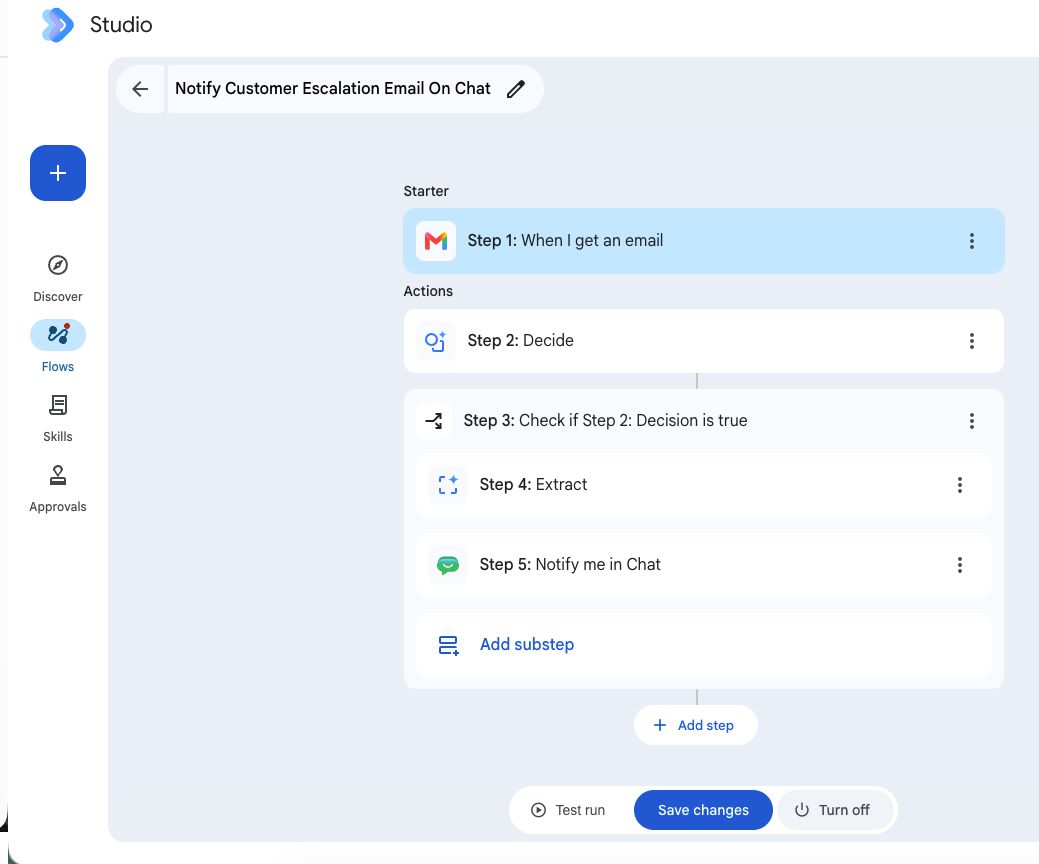
A workflow could begin when an email arrives. The system could extract information, ask AI to classify the message, add the details to a spreadsheet and notify a manager.
You decide what happens at each stage and where AI should be used.
This takes more setup than an AI co-worker, but gives you more control. You can see the sequence and change individual steps.
An HR team could create a workflow that receives a job application, extracts candidate information, compares it against predefined criteria and sends selected applications to a recruiter.
Some people call this an AI agent. Others call it workflow automation with AI.
4. AI agents inside business software (Salesforce)
The fourth level includes agents built directly into software companies already use.
Examples include Salesforce Agentforce, ServiceNow Now Assist, Zendesk AI and HubSpot’s AI features.
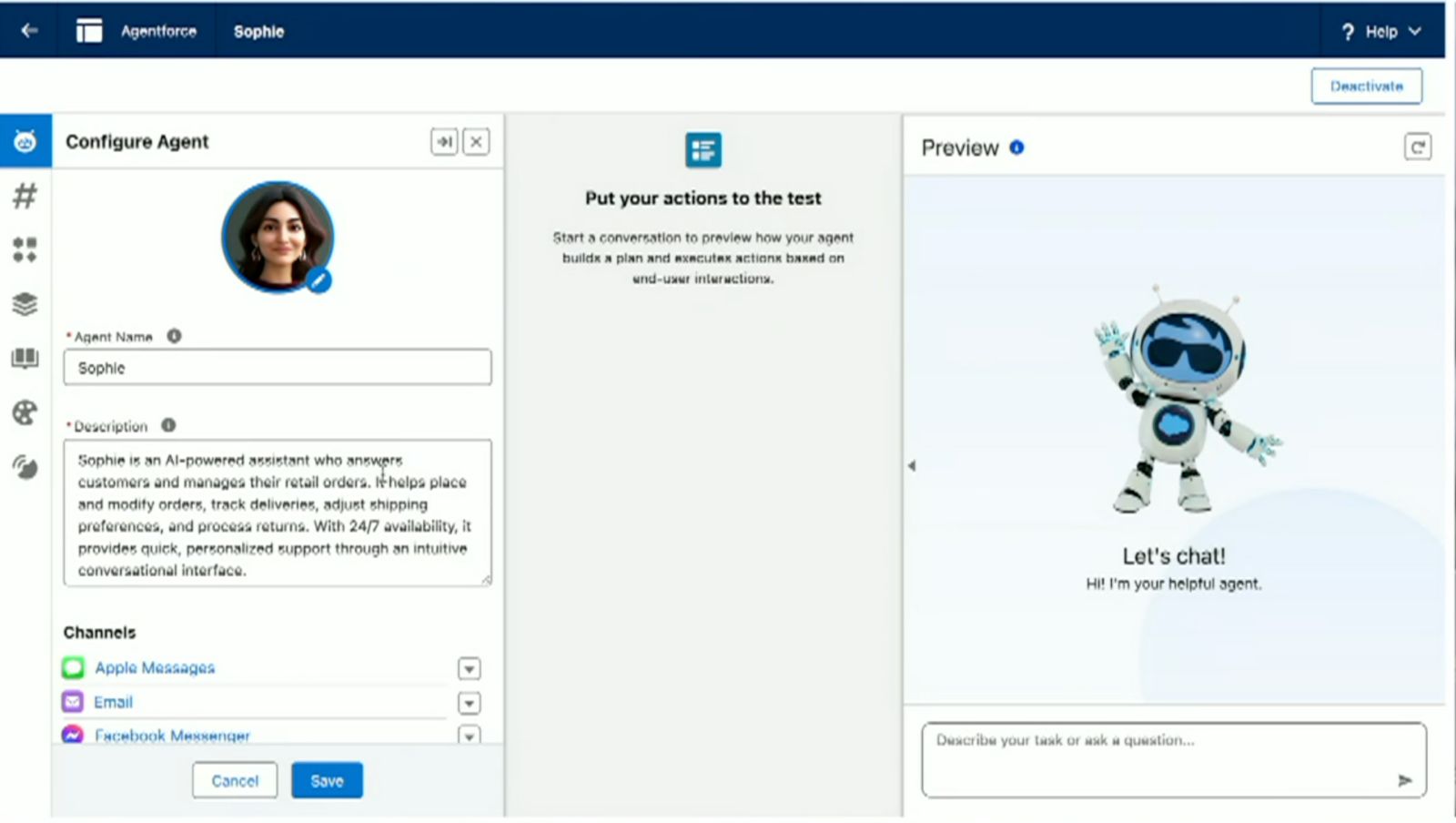
These agents already operate inside a specific software environment.
A customer service agent could verify an order number, check shipping status, issue a refund within an approved limit and update the customer record.
You generally do not build the entire agent from scratch. A platform administrator or business analyst configures its actions, permissions and business rules.
These agents are useful when the work already happens inside that software.
Their main limitation is flexibility. An agent built inside Salesforce is naturally strongest inside Salesforce. Cost can also become significant.
5. No-code and low-code agent builders (Vapi / Chatbase)
The fifth level gives you more freedom without requiring you to build the whole application through code.
Examples include Vapi, Retell AI, ElevenLabs, Voiceflow, Relevance AI, Make and Zapier.
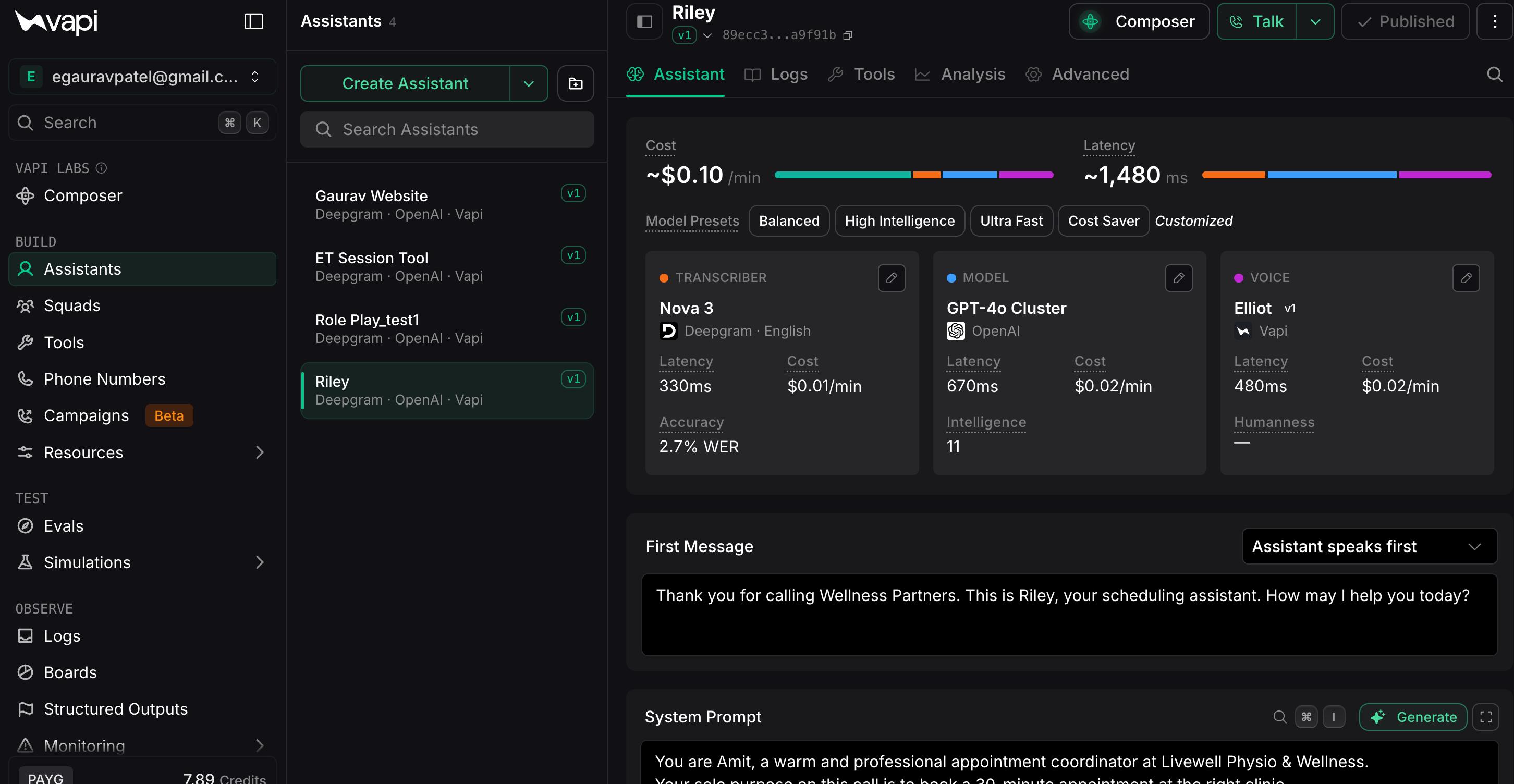
These platforms are useful when you want to connect several applications, build a public-facing agent or add voice.
For example, you could build a clinic receptionist that answers calls, checks a live calendar and books appointments.
Or you could create a website assistant that asks visitors questions, identifies good sales leads and sends the details into a CRM.
This level is suitable for tech-savvy business users, product managers and digital marketers.
You do not need to be a software engineer, but you should understand how data moves between applications, what API keys are and how tools are connected.
The main limitation is cost and maintenance because these systems often charge based on usage.
6. Coded AI agents
The sixth level involves building the agent through code.
Developers may use Python or TypeScript with frameworks such as LangGraph, CrewAI, AutoGen or LlamaIndex.
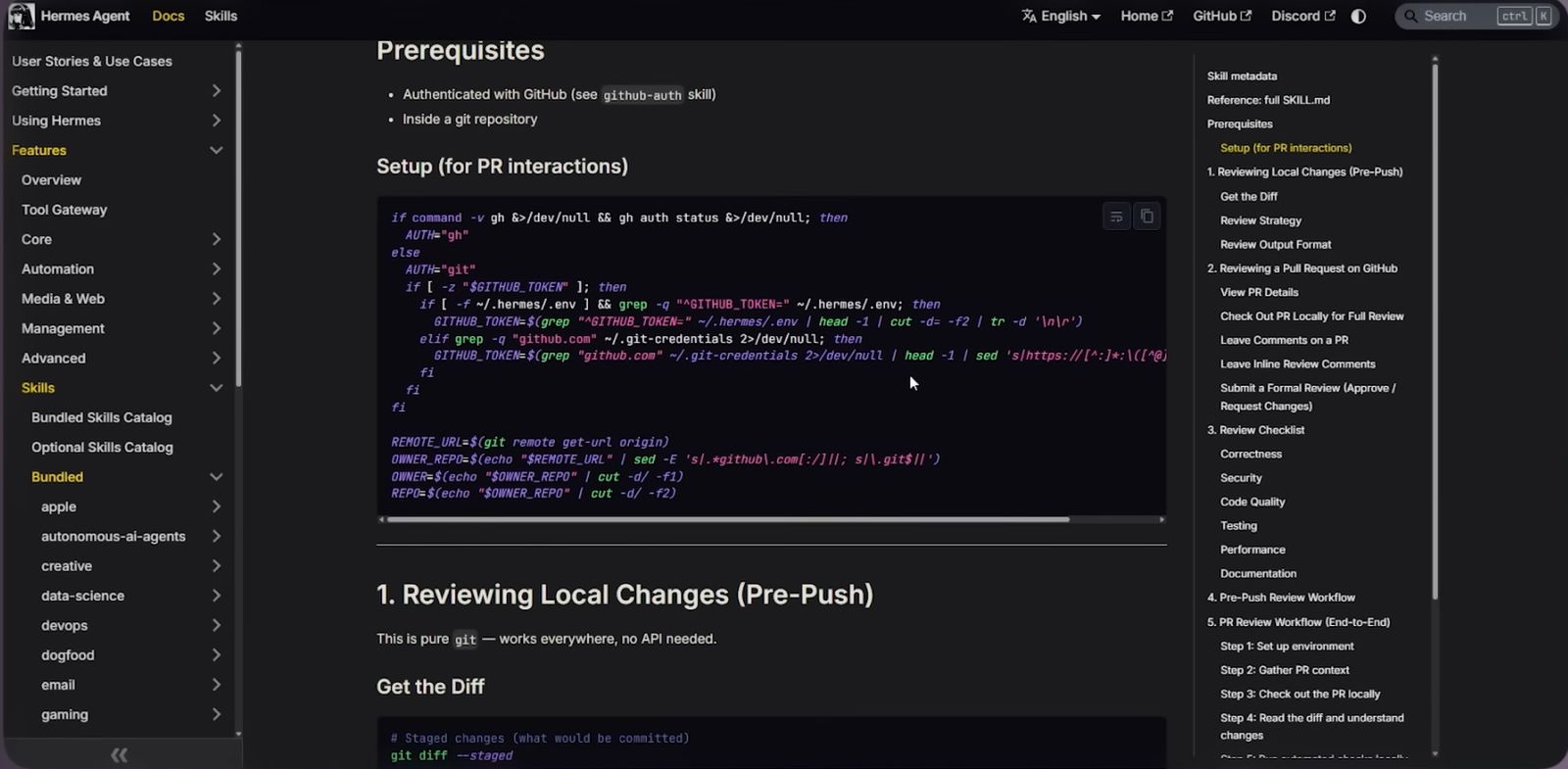
At this level, developers have much greater control over the agent’s tools, memory, instructions and decision-making.
A company could build a research system where one agent collects information, another performs calculations and another checks the output before a report is produced.
The system can connect to internal databases, external applications and AI model APIs.
Coding also gives teams more control over security, retrieval, evaluations and error handling.
That flexibility comes with more responsibility. The development team has to manage failures, inaccurate answers, security risks, token usage and maintenance.
This level makes sense when you are building proprietary software or when existing platforms cannot support the workflow you need.
Are all six really AI agents?
Not necessarily.
A saved prompt is not the same as an autonomous agent. A workflow with one AI step may not be an independent agent either.
More advanced systems usually have greater autonomy. They can use tools, make decisions and complete several steps without the user guiding every action.
But the label is less important than the practical question:
Can AI help automate something useful?
People who do not code can build or configure the first five levels, although the amount of control varies.
Coding becomes important when you need deeper control over logic, data, memory, tools and security.
You also do not need the most advanced option every time. Sometimes a saved assistant is enough. Sometimes a step-by-step workflow is more reliable. Sometimes you genuinely need a coded application.
The place to start is the simplest level that can complete the task reliably.